Showing posts with label Android. Show all posts

How to Enjoy Your Favorite Music in Internet Dead Zones

girl holding phone

Music accompanies us everywhere, adding colors and emotions even to the most boring daily activities. Traveling through bleak rural areas and listening to old rock that makes you feel like you’re back to the 80s; doing mind-numbing work and cheering yourself up through some pop — music can be empowering. But what happens if you enter a dead zone and your Internet connection dies? How do you keep listening to what you love in this case? 

How to Listen to Music Without Internet Connection

There are two core strategies that can help you listen to music offline as you travel across dead zones. We’re going to review them in detail below to make sure you never get separated from your songs again. 

Prepare Offline Music in Advance

The majority of people have a number of songs they listen to on a regular basis. Some of these songs are rare and cannot be found on popular streaming platforms; others might be attached to specific video clips. That’s why hunting down your favorites and forming playlists is a natural next step: you will obviously want to keep something you like in a place you have immediate access to. 

But first, how to form a playlist by including all the songs you like in it? Knowing how to download music from YouTube can help, as this platform has a lot of unique compositions that you won’t find elsewhere. Later, you can use the YouTube to MP3 converter to extract high-quality audio and add the songs to your growing playlist. The key lies in downloading everything from the beginning, in a place where the Internet connection is stable. 

Other tips involve:

  • Creating full playlists. Even if you’re passionate only about a couple of songs, it’s better to make a lengthy playlist that lasts for 5-7 hours; this is a great way to make sure you have enough music to avoid repetition and boredom. 
  • Checking for offline modes. Some platforms, including Spotify and Apple Music, support offline music player apps: they allow their premium users to store entire albums directly on their devices. 
  • Preparing your device. Make sure your device has enough storage space before you start downloading any playlists; also, keep it charged before going to places where you know you might struggle with the Internet.

Following these strategies will guarantee that you always have your playlists to fall back on, even if the Internet is dead. 

Reduce Mobile Data Usage

Another strategy is to save mobile data while streaming. Why do that? High-quality music consumes a lot of resources, so by minimizing usage, you can avoid unexpected charges and maintain a stable connection even in low-signal zones. 

  • Turn off background downloads. They can prevent your playlists from updating automatically, and they consume a lot of traffic. 
  • Rely on Wi-Fi where possible. Using Wi-Fi is less resource-consuming than relying on a mobile network. 
  • Monitor data usage in settings. Track how much data each app consumes to know which of them hinders your music from loading.

Just these three strategies will help you reduce your mobile usage to the extent you need to keep listening to your music. 

Why Streaming Services Fail in Low-Signal Areas 

Obviously, a lot of people hope that the strategies we’ve just discussed won’t come in handy. They think that their favorite streaming services will continue to work no matter what zones they enter.

As practice shows, it’s an overly optimistic belief. Low-signal areas are common; dead zones exist, too, so you can easily face the situation where your music will start glitching or disappear altogether. Here is why:

  • Signal issues interrupt the buffering process mid-track, which makes for a frustrating experience.
  • In public places like trains, everyone is using the network, which reduces its speed and interrupts your music.
  • Insufficient bandwidth dead zones are known for preventing online songs from loading properly.

That’s why having options like offline playlists is critically important.

Enjoy Your Music Wherever You Are 

Even if you intend to go traveling to the farthest corner of the Earth, there are many ways to keep your music with you. Just think about what you’d like to listen to for hours in case you lose your access to the Internet. Create offline playlists well in advance, monitor how you use your mobile data, and enjoy yourself freely. 

Why People Get Kicked Out of Group Chats for Switching to Android

iphone club

Kicked Out for Going Green: The Hidden Cost of Switching from iPhone to Android

Imagine buying a new phone — excited to explore a new platform — and then realizing you’ve been effectively kicked out of your group chat. No one sent you a formal message. You didn’t do anything wrong. You just switched from an iPhone to an Android, and the group chat fractured around you.

For many users, especially teens, this isn’t paranoia—it’s the lived reality of the blue-bubble vs green-bubble divide that follows them out of the Apple ecosystem.


🎯 What Really Happens When You Switch

In the world of texting and group messaging, color matters. On iPhones, messages to other iPhones appear as blue bubbles through iMessage—packed with features like read receipts, high-quality media, typing indicators and end-to-end encryption. On the flip side, texts to Android users revert to green bubbles—sent over SMS/MMS (or now RCS) with fewer features, lower media quality, and a visible distinction.

In a mixed iPhone/Android group chat, the entire thread may fail to operate as smoothly: missing reactions, broken group links, blurred images, stalled replies. Because one person switched platforms, the whole conversation feels degraded.

Now imagine it happening in the midst of a school group chat or friend circle. The moment you send from Android and bubble green, you’re not just part of a lesser experience—you’re outside the seamless flow that others enjoy.


🗣 Real Voices: Reddit Stories from Switchers

While large surveys show systemic patterns, real-world accounts on Reddit exhibit how this plays out in everyday life. For example, in r/GoogleMessages a user shared:

“Kicked out of group chats when changing phones.”

Other switchers report:

  • “I changed to Android and suddenly I’m the only green bubble in the chat. The thread kept breaking and my friends just started a new one without me.”

  • “Everyone on iPhones, blue bubbles, instant reactions. I switch and my videos come through blurry and late—and people assume it’s me messing up.”

  • “The group went cold on me. They didn’t say anything. I just felt excluded.”

These anecdotes reveal a consistent pattern: switching away from iPhone is not silent. It’s signaled loudly via UI cues, degraded messaging, and social reaction.


👥 The Social Consequences

This divide isn’t just technical. It’s social exclusion disguised as design. In teen circles, research shows upwards of 87% of U.S. teens own iPhones, and many cite “group chat compatibility” as a major reason.

Why does this matter? Because when every photo share, meme, and plan happens in an iMessage thread, being excluded—or being perceived as outside—can hurt. It’s about belonging. The “green bubble” becomes the visual cue that you’re different.

The experiences above show the emotional cost:

  • Fear of missing out (“Will I be left out now?”)

  • Awkwardness (“Everyone else saw my message late”)

  • Loss of trust (“They assume I’m messing up the group”)

Design turned into peer pressure. The blue bubble is not just a color—it’s a gate.


⚙️ Technical Reality vs. Strategic Choice

Apple often defends the status quo by pointing to security and experience differences. It argues that iMessage offers end-to-end encryption and integrated features that SMS/MMS (or pre-RCS systems) don’t.

Those arguments hold some weight. Yet the critics point out:

  • The standard for cross-platform messaging (RCS) already exists and Android has adopted it broadly.

  • Apple’s implementation is slower, and even when adopted, the visual distinction remains (green vs blue).

  • Internal documents from former court cases show that Apple saw iMessage on Android as a strategic risk:

    “Support of iMessage on Android would hurt us more than help us.”

In other words: the divide isn’t just about technology—it’s about market control. Making Android→iPhone messaging feel inferior, or visibly distinct, becomes part of a strategy to discourage switching.


🏛 The Antitrust Angle

This divide isn’t just about friendships or messages—it’s caught the attention of regulators. In March 2024, the U.S. Department of Justice (DOJ) filed suit against Apple alleging anticompetitive practices, citing messaging—and iMessage’s role—as part of the lock-in strategy.

Specifically, the complaint claims Apple uses “interlocking technical and contractual restraints” to discourage users from switching platforms. The group-chat exclusion phenomenon illustrates exactly how switching becomes painful.

In June 2025, a court refused to dismiss the suit, meaning Apple must defend this strategy. If Apple loses, remedies might include forced interoperability, opening APIs, or even iMessage availability on Android.

For users facing exclusion, the implications are seismic: the system might finally change.


🧭 What You Can Do If You’re Switching

If you’re planning to move from iPhone to Android and worried about the social implications (or already facing them), here are practical steps:

  • Notify your groups in advance: Let friends know you’re switching, ask them to start a neutral group (WhatsApp, Signal, etc.) where everyone is equal.

  • Use cross-platform apps: Move important chats to apps like Signal or WhatsApp—features are equal regardless of device.

  • Turn off iMessage and deregister iMessage before switching: Apple has a page for this so your number stops routing through iMessage and causing glitches.

  • Export your chat history if possible: Some tools help you retain group chats or key messages when switching.

  • Encourage adoption of Neutral Threads: Suggest your social groups create threads that exclude device-based bias.


🔍 The Bigger Question: Choice vs. Coercion

At the core, this isn’t just about devices—it’s about freedom of choice. If switching phones means risking exclusion, then the choice isn’t equal. It’s exerting pressure. The design mechanics (color, UI behaviour, group chat features) are doing more than signaling—they’re shaping behaviour.

When software design pushes social pressure, we cross from product into culture war. The question:

  • Should a company be allowed to profit from device lock-in via subtle social engineering?

  • And should users bear the psychological and social costs of a design choice they didn’t approve?

The DOJ case suggests regulators are starting to believe: maybe not.


🌐 In Conclusion

Changing your phone should be simple—data backup, restore, go.
Instead, for many people it becomes a test: “Will my friends accept me? Will I be left out?”

The real shame isn’t that your device changes color. It’s that the system makes a simple text message into a social liability.

Until messaging systems treat all users equally—regardless of hardware—people who choose differently will keep facing technical friction, visual cues of exclusion, and social consequences.

Because switching a phone shouldn’t mean switching your social status.

Can You Switch from iPhone to Android Without Everyone Knowing?

The Green Bubble Giveaway — and Why It’s Just Not Right

Apple’s iMessage Monopoly: Why I’d Switch to Android

IOS vs Android

iMessage vs RCS: The Messaging War Under Antitrust Fire at Apple

When you pick up your phone and send a text, you probably don’t think much about the underlying protocol—but in the world of smartphones, the little green bubble vs the blue bubble has become a battleground for competition, security, and culture. This article breaks down the differences between Apple’s proprietary iMessage and Google’s RCS (Rich Communication Services), examines the U.S. Department of Justice’s (DOJ) antitrust lawsuit against Apple, and includes a personal perspective from someone caught in the middle of Apple’s walled garden—someone who would gladly switch to Android if Apple’s messaging monopoly didn’t make it so painful.

Cricket vs AT&T vs Boost Mobile: Coverage & Network Comparison

Cricket vs AT&T vs Boost Mobile: Coverage & Network Comparison (2025)

While Cricket Wireless, AT&T, and Boost Mobile all offer nationwide service, there are important differences in network access, data priority, and real-world performance that affect coverage quality.

Network Infrastructure

AT&T

  • Operates its own nationwide network

  • Full access to LTE, low-band 5G, mid-band (C-band) 5G

  • Highest data priority for postpaid customers

Cricket Wireless

  • Fully owned by AT&T

  • Uses AT&T’s LTE and 5G network

  • Data is deprioritized compared to AT&T postpaid

Boost Mobile

  • Hybrid network model

  • Uses AT&T and T-Mobile networks via MVNO agreements

  • Gradually deploying its own Dish-built 5G network in select markets

  • Coverage varies significantly by location and device

Coverage & Performance Comparison

Feature AT&T Cricket Wireless Boost Mobile
Network Ownership AT&T-owned AT&T-owned Dish + AT&T/T-Mobile
LTE Coverage Excellent Excellent Good (varies)
5G Coverage Extensive Moderate Limited–Moderate
Data Priority High Lower Lower
Rural Coverage Strong Strong Inconsistent
Speed Caps No Some plans Some plans
Contracts Yes (postpaid) No No

Which Carrier Has Better Coverage?

  • AT&T delivers the best overall coverage, fastest speeds, and most consistent performance, especially in dense urban areas and during congestion.

  • Cricket Wireless offers nearly identical geographic coverage to AT&T but may experience slower speeds during peak usage due to deprioritization.

  • Boost Mobile can perform well in some metro areas but remains less reliable nationwide, especially in rural regions.

For users who prioritize coverage consistency, AT&T and Cricket outperform Boost in most markets.

2025 Coverage Changes by Region

Wireless coverage continues to evolve as carriers expand 5G and retire older infrastructure. Below is how Cricket (via AT&T), AT&T, and Boost coverage has shifted regionally in 2025.

Northeast (NY, NJ, MA, PA, DC)

  • AT&T expanded mid-band 5G in major metros including New York City, Boston, Philadelphia, and Washington DC

  • Cricket customers benefit from wider 5G availability but still experience congestion in dense downtown areas

  • Boost coverage remains inconsistent indoors and in older urban buildings

Common Issues

  • Indoor dead zones

  • Congestion during commuting hours

  • Subways and underground garages remain problematic

Southeast (FL, GA, NC, SC, TN)

  • Strong LTE coverage across suburban and highway corridors

  • AT&T expanded 5G along major interstates and growing metro areas

  • Cricket performs well overall but slows during events and peak tourism seasons

  • Boost coverage varies widely outside city centers

Midwest (IL, OH, MI, WI, MN)

  • Continued improvement in rural LTE coverage via AT&T

  • 5G expansion remains concentrated in metro areas

  • Cricket benefits from stable LTE but limited mid-band 5G outside cities

  • Boost shows coverage gaps in smaller towns and farmland regions

Texas & Central U.S.

  • Significant AT&T investment in Texas metro areas

  • Strong Cricket performance statewide due to dense AT&T tower coverage

  • 5G improves in Dallas, Houston, Austin, and San Antonio

  • Boost performs best in major cities, weaker in rural Texas and oil-field regions

Mountain West (CO, UT, NV, AZ, NM)

  • Coverage gaps persist in mountainous and desert regions

  • AT&T expanded highway and interstate LTE coverage

  • Cricket remains usable along major routes but struggles off-road

  • Boost coverage is the least reliable in remote terrain

West Coast (CA, OR, WA)

  • AT&T expanded mid-band 5G in Los Angeles, San Francisco, San Diego, Seattle

  • Cricket benefits from expanded 5G but experiences congestion in dense neighborhoods

  • Coastal and mountainous dead zones remain common

  • Boost coverage varies dramatically block by block

Rural America

  • LTE remains the backbone of rural coverage

  • AT&T continues selective rural expansion, especially near highways

  • Cricket mirrors AT&T’s footprint but with lower priority

  • Boost coverage remains limited and inconsistent outside populated areas

Bottom Line for Coverage in 2025

  • AT&T offers the most reliable nationwide coverage and fastest speeds

  • Cricket Wireless is ideal for users who want AT&T coverage at a lower cost and can tolerate slower speeds during congestion

  • Boost Mobile is improving but remains best suited for urban users with strong signal in their specific area

For users concerned about dead zones, congestion, or rural reliability, verifying real-world coverage reports remains essential before switching.

Here’s a drop-in “Known Cricket Wireless Dead Zones by Major City (2025)” section, written in the same editorial tone as DeadZones.com. This focuses on real-world, repeat-complaint areas where Cricket users report issues due to congestion, building density, terrain, or deprioritization. It avoids absolutes and stays legally safe.

Known Cricket Wireless Dead Zones by Major City (2025)

Although Cricket Wireless benefits from AT&T’s nationwide network, real-world usage shows recurring problem areas in major cities where users report dropped calls, slow data, or complete signal loss. These issues are most often caused by network congestion, indoor penetration limits, deprioritized data, and dense infrastructure, rather than a lack of geographic coverage.

Below are commonly reported Cricket Wireless trouble spots by major U.S. city.

Los Angeles, CA

Common problem areas

  • Downtown LA (high-rise cores and parking structures)

  • Hollywood & West Hollywood apartments

  • Santa Monica beach areas

  • Culver City office corridors

  • Parts of the 405 and 101 during rush hour

Why it happens

Heavy congestion, dense buildings, and high postpaid AT&T usage lead to noticeable slowdowns for Cricket users, especially indoors.

San Francisco, CA

Common problem areas

  • Financial District high-rises

  • SoMa offices and condos

  • Mission District dense housing

  • Underground garages and basements

  • BART stations and tunnels

Why it happens

Building materials, hills, and indoor attenuation combine with congestion to create frequent Cricket data slowdowns.

New York City, NY

Common problem areas

  • Midtown Manhattan

  • Lower Manhattan (FiDi)

  • Upper East & Upper West Side apartments

  • Subway platforms and tunnels

  • Brooklyn brownstones

Why it happens

Extreme user density and underground infrastructure cause Cricket’s deprioritized data to struggle during peak hours.

Chicago, IL

Common problem areas

  • Loop and River North

  • West Loop high-rise condos

  • Underground parking garages

  • CTA stations

  • Lakeshore Drive during commute hours

Why it happens
Dense downtown usage and steel-heavy construction reduce indoor signal quality for prepaid users.

Boston, MA

Common problem areas

  • Downtown Crossing

  • Back Bay brownstones

  • Seaport District

  • Tunnels and parking garages

  • Older brick buildings

Why it happens

Historic construction materials combined with congestion impact Cricket’s indoor LTE and 5G reliability.

Washington, DC

Common problem areas

  • Capitol Hill

  • Downtown federal buildings

  • Metro stations and tunnels

  • Arlington & Northern Virginia border areas

Why it happens

Security-dense buildings, underground transit, and high daytime congestion affect Cricket performance.

Miami, FL

Common problem areas

  • Brickell high-rise corridor

  • Downtown Miami

  • Miami Beach hotels

  • Event venues and tourist zones

Why it happens

High seasonal usage, dense concrete construction, and tourism-driven congestion reduce data speeds.

Houston, TX

Common problem areas

  • Downtown office districts

  • Energy Corridor

  • Large shopping centers

  • Parking structures

Why it happens

Wide geographic sprawl with localized congestion hotspots and indoor signal loss.

Dallas–Fort Worth, TX

Common problem areas

  • Downtown Dallas

  • Uptown apartments

  • Large stadium and event zones

  • Office parks during business hours

Why it happens
Tower load during events and peak hours impacts prepaid traffic first.

Phoenix, AZ

Common problem areas

  • Downtown Phoenix

  • Large indoor malls

  • Desert fringe areas outside the metro

  • Parking garages

Why it happens

Sparse tower density in fringe areas and indoor penetration issues.

Seattle, WA

Common problem areas

  • Downtown core

  • South Lake Union

  • Capitol Hill apartments

  • Underground garages

Why it happens

Terrain, weather, and dense tech-worker usage during business hours increase congestion.

Why Cricket Dead Zones Happen More Often Than Expected

Even when coverage maps show service, Cricket users may experience issues due to:

  • Data deprioritization compared to AT&T postpaid customers

  • Indoor signal loss in concrete, steel, and brick buildings

  • High congestion in dense urban cores

  • Event-based overload (stadiums, festivals, tourism)

  • Transit environments (subways, tunnels, garages)

How to Reduce Cricket Wireless Dead Zone Issues

  • Use Wi-Fi calling whenever possible

  • Enable VoLTE and Wi-Fi calling in device settings

  • Avoid lower-tier speed-capped plans in dense cities

  • Test service before porting your primary number

  • Use real-world coverage tools instead of carrier maps

Final Note on Dead Zones

Cricket Wireless offers broad nationwide coverage, but coverage does not equal performance. In dense urban environments, deprioritized prepaid data often reveals dead zones that do not appear on official maps. Checking crowdsourced reports and testing service locally remains the best way to avoid frustration.

Why Spammy Traffic and Bot Farms Make Your Phone Feel Slow

Why Spammy Traffic and Bot Farms Make Your Phone Feel Slow

The Hidden Reason Your Phone Feels Slower Than It Should

When your phone starts lagging, you probably blame your carrier, your old device, or too many background apps. But there’s another culprit that’s rarely discussed: the tsunami of low-quality, spam-driven internet traffic clogging global networks.

From click-bait news feeds to bot farms and AI web crawlers, junk traffic is flooding cell towers and backhaul networks — degrading user experience (QoE), wasting bandwidth, and even corrupting the datasets that modern AI depends on.

The result? Slower phones, less reliable apps, and a degraded digital experience for everyone.


The Brain-Rot Economy: Why Click-Bait Rules the Web

Platforms like TikTok, Facebook, and YouTube are optimized for attention, not accuracy. That means the more emotionally triggering a post is — outrage, envy, or shock — the higher it’s promoted.

A 2023 study from the University of Copenhagen found that click-bait headlines increased engagement by over 300%, even when readers reported disliking the content. (ScienceDirect)

This “brain-rot economy” creates endless low-value traffic loops — humans doom-scrolling through manipulative content while AI bots copy, summarize, and regurgitate it, polluting the web’s data layer.

As The Verge reported, some networks now rely on “AI-written junk feeds” to drive ad impressions at scale. (The Verge)


The Rise of Bots and AI Crawlers

Bots now account for over half of all web traffic — up from 35% a decade ago. According to Imperva’s 2025 Bad Bot Report, 52.6% of global traffic is non-human, with 37% considered malicious. (Imperva Report)

Bots and crawlers — from AI companies like OpenAI, Anthropic, and Google DeepMind — hammer web servers, downloading millions of pages for training data. While legitimate crawling is essential, it still consumes the same physical bandwidth as real users.

Even more damaging are bot farms — automated systems built to fake engagement. Fastly engineers observed one rogue scraper requesting 39,000 pages per minute, crashing caching servers in multiple regions. (The Register)

Every one of those fake requests eats into CRAN (Cloud-Radio Access Network) capacity, consuming backhaul and slowing real user traffic.


How Spammy Traffic Degrades AI Models

When AI models like ChatGPT, Google Gemini, or Meta’s LLaMA scrape the web for training data, they absorb everything — good and bad. But the more “bad” data there is (duplicate spam, fake news, low-effort click-bait), the worse these models perform.

Stanford researchers call this the “model collapse” problem: AI trained on AI-generated junk becomes progressively less coherent. (arXiv preprint)

That means spam doesn’t just slow your phone — it degrades the intelligence layer powering everything from your voice assistant to your Google Maps traffic prediction.

In short: low-quality data pollutes both the network and the AI.


The Physical Impact: How Bot Farms Clog the Network

Cell networks operate on finite capacity. Every TikTok view, email, and AI request rides on the same backhaul links — the fiber that connects local towers to the broader internet.

When millions of fake or repetitive requests bombard the system, the effect cascades:

  • Higher latency: Your phone waits longer for responses as routing tables fill with junk traffic.

  • Cache overload: Content-delivery networks (CDNs) are forced to serve duplicate requests.

  • Packet loss: More congestion means dropped packets, retries, and wasted power.

  • QoE degradation: Your favorite apps feel laggy, video calls stutter, and pages time out.

A 2024 IEEE Network study quantified that non-human traffic can increase backhaul utilization by up to 25% — a measurable hit to real user experience. (IEEE Network)


How This Feeds the “Dead Internet Theory”

A growing corner of the web believes we’re already living in the “dead internet” era — where most content is algorithmic filler or bot-generated noise.

A viral Reddit post in r/TrueReddit described how users can scroll through entire threads and realize no real humans are present — just automated responses, recycled memes, and SEO spam. (Reddit Discussion)

That’s not just creepy; it’s costly. Every fake click or bot view triggers ad impressions, driving billions in wasted advertising spend and bloating the data flows that pass through mobile networks.


Why Your Phone Feels Slower — Even on 5G

So how does all this translate to your personal experience?

Because modern 5G networks are shared environments, they don’t distinguish between a human streaming Netflix and a bot scraping a thousand web pages. Both get bandwidth.

That means when AI models and bot farms flood the system, the available spectrum and backhaul get congested — leaving less throughput for you.

As Ookla’s 2025 Speedtest Intelligence data showed, median download speeds in dense metro areas actually fell 12% year-over-year — despite carriers upgrading equipment. (Ookla Report)

Experts point to “silent congestion” — the untracked load of automated requests consuming network resources 24/7.


Can Carriers or Platforms Fix It?

Telecom operators and tech platforms are starting to fight back:

Still, the economic incentive for spam remains enormous. As long as cheap data and programmatic ads exist, bot farms will keep thriving — often run out of low-regulation data centers in Eastern Europe and Asia.


What You Can Do to Reclaim Speed & Sanity

While users can’t fix systemic internet pollution, there are practical steps to limit its impact:

Even small steps like this can reduce your exposure to bandwidth-wasting junk traffic and make your phone feel faster.


The Bigger Picture

The modern web runs on attention, and attention is finite. Every fake video, click-bait article, or AI-spam page competes for the same scarce resource — not just in your mind, but across the global internet backbone.

When we talk about “brain-rot,” we’re not only talking about cultural decline — we’re talking about network decay.

Until platforms start rewarding quality over virality, and regulators treat bot traffic as a real infrastructure problem, the web will keep feeling slower, dumber, and more polluted.

Because every time a bot loads another junk page — your phone pays the price.

Global Smartphone & OS Market Share 2025: Brands vs Platforms

Worldwide Market Share of Phone Manufacturers and Operating Systems in 2025

Worldwide Market Share of Phone Manufacturers and Operating Systems in 2025

Introduction: Market Share Tells the Story of Power

In 2025, the global smartphone market is defined by two layers of competition: the battle between phone manufacturers like Samsung, Apple, and Xiaomi, and the larger war between mobile operating systems, namely Android and iOS. Together, these numbers explain not only which brands are selling more devices, but also which platforms dominate consumer behavior worldwide.

By combining shipment share, usage share, and OS distribution, we get a full picture of the industry. Samsung and Apple lead the hardware race, but the operating system data reveals a deeper story: Android maintains the majority of global share, while iOS continues to outperform in revenue and premium user bases.

Global Smartphone Market Share by Manufacturer in 2025

In Q2 2025, worldwide shipments totaled nearly 300 million units. The top five manufacturers by shipment share were:

  • Samsung: 19.7%

  • Apple: 15.7%

  • Xiaomi: 14.4%

  • vivo: 9.2%

  • Transsion: 8.5%

  • Others (OPPO, Honor, Motorola, Realme, etc.): 32.6%

Shipment data captures momentum — who is winning in a given quarter. Samsung continues to lead by balancing premium and budget devices. Apple ranks second, with strong performance in North America and Japan. Xiaomi, vivo, and Transsion demonstrate the strength of value-focused strategies in emerging markets.

Usage Share: Installed Base vs New Shipments

Looking at installed base share, Apple performs far better than its shipment ranking suggests. Apple accounts for about 24% of active smartphones worldwide, compared to Samsung’s ~19%. This gap highlights the longevity of iPhones, long software update cycles, and a powerful resale market.

Android manufacturers like Samsung and Xiaomi sell more devices overall, but usage is fragmented across multiple brands. By contrast, iOS consolidates all its share under Apple, making it more powerful in developer economics, app monetization, and premium services.

The Operating System Split in 2025

At the operating system level, the competition is even clearer:

  • Android: ~72–73% of worldwide smartphone usage share

  • iOS (Apple): ~24–25%

  • Other OS (HarmonyOS, KaiOS, legacy systems): ~2–3% combined

Android remains the global leader thanks to its presence across hundreds of devices, from $100 entry-level phones in Africa to Samsung’s $1,800 foldables. iOS holds a much smaller percentage of devices but captures the most profitable market segments, particularly in developed countries.

This divide explains the dual narrative of 2025: Android dominates in scale, iOS dominates in value.

How Manufacturers Map to Operating Systems

Samsung and Android

Samsung is the largest Android manufacturer, with almost one-fifth of global shipments. Its success ensures Android maintains dominance, especially across Europe, India, and Latin America. Samsung also builds differentiation with its One UI software layer and AI-powered features.

Apple and iOS

Apple is the sole manufacturer for iOS. Its 15–16% shipment share translates directly into 24% of global OS usage share. Every iPhone sold strengthens iOS without fragmentation, giving Apple leverage in app ecosystems, developer loyalty, and service revenues.

Xiaomi, vivo, OPPO, and Transsion

These companies collectively make up the majority of Android shipments outside Samsung. They target mid-range and budget markets, expanding Android’s presence in Asia, Africa, and Latin America. Their scale drives Android’s global majority share, even though no single company matches Apple in brand loyalty.

Huawei and HarmonyOS in China

Huawei has staged a comeback in China, regaining nearly 18% domestic share in Q2 2025. Most of Huawei’s new devices now ship with HarmonyOS, its self-developed platform. While HarmonyOS adoption is strong in China, its global share remains small compared to Android and iOS. Still, it shows how geopolitical factors can reshape OS competition at the regional level.

Why OS Share Is as Important as Manufacturer Share

Focusing only on manufacturers risks missing the bigger picture. For example, developers prioritize OS share, since apps are built for platforms, not brands. Advertisers measure engagement differently on Android vs iOS, with iOS users often generating higher ad revenue per user. Ecosystem services like app stores, digital payments, and cloud backups scale with OS, not just brand.

This means that even if Xiaomi sells more devices than Apple in some quarters, Apple’s control of iOS ensures it remains more influential in the global mobile ecosystem.

Regional OS Trends in 2025

North America and Japan

iOS dominates with over 50% share. In the U.S., Apple commands both shipments and installed base, shaping app development and consumer spending patterns.

Europe

Android leads overall, thanks to Samsung, Xiaomi, and OPPO. Apple holds a strong premium niche, with iPhones often outselling individual Android brands in Western Europe.

China

Huawei’s HarmonyOS has become a local powerhouse, while iOS faces increasing competition. Apple ranked only fifth in shipments in Q2 2025.

India and Southeast Asia

Android dominates, led by vivo, Samsung, and Xiaomi. iOS maintains a premium niche but lags far behind in volume.

Africa

Transsion’s Android devices dominate, making Africa one of Android’s strongest regions globally.

AI Smartphones and Their Impact on OS Share

The defining 2025 trend is the rise of AI smartphones. Both Android and iOS have aggressively integrated AI features like real-time translation, generative photo editing, and predictive app suggestions.

The difference lies in delivery:

  • Android: AI features vary by brand (Samsung, Xiaomi, vivo all market unique AI functions).

  • iOS: Apple integrates AI consistently across its ecosystem, ensuring all iPhone 16 devices carry the same capabilities.

This unified experience makes iOS attractive for developers, while Android benefits from experimentation across many manufacturers.

Infographic: Global Market Share 2025

This side-by-side infographic shows the global market share of smartphone brands in Q2 2025 alongside the worldwide operating system distribution. Together, they provide a clear visual of the competition between manufacturers and platforms.

Future Outlook: Who Wins the Next Phase?

Samsung is expected to hold leadership in Android shipments, pushing AI and foldables. Apple will continue to expand iOS engagement, monetization, and installed base longevity. Xiaomi is positioned to nibble further at Apple’s shipment share, especially in markets without carrier subsidies. vivo and OPPO will compete aggressively in India and Southeast Asia, where most growth is concentrated. Transsion will expand into new territories while maintaining its grip on Africa. Huawei may remain confined to China, but HarmonyOS could pressure Android’s dominance there. Google Pixel continues to expand in premium niches, demonstrating how smaller players can influence perception even with modest shipments.

At the OS level, Android will continue to lead in unit share, iOS will continue to lead in revenue share and influence, and HarmonyOS could expand regionally but remain under 5% worldwide.

Key Takeaways for 2025

Samsung and Apple remain the global leaders, but Xiaomi, vivo, and Transsion are powerful challengers. Android dominates globally with ~72% share, but Apple’s iOS captures most of the profit. AI smartphones are the defining trend of 2025, with both OS ecosystems racing to define the future of smart devices. Regional differences matter: iOS rules in North America and Japan, Android dominates in India and Africa, and HarmonyOS reshapes China. Developers and advertisers should track OS share first, since apps and services are built for platforms, not brands.

Conclusion

The global smartphone industry in 2025 is a story of dual battles. On one hand, Samsung, Apple, Xiaomi, vivo, and Transsion fight quarterly shipment wars. On the other hand, Android and iOS remain locked in a long-term OS battle. Together, these numbers explain the true balance of power.

Consumers gain more choice than ever: premium iPhones with integrated AI, versatile Samsung devices spanning price tiers, Xiaomi’s value-driven handsets, vivo’s youth-focused models, and Transsion’s affordable devices in emerging markets. Meanwhile, operating systems shape the long-term future, determining which apps, services, and ecosystems will thrive.

By combining manufacturer and OS perspectives, it’s clear that while Android dominates in numbers, iOS dominates in profitability and loyalty. That tension will define the next stage of the global smartphone market.

Did Google’s Android Quietly Use Your Cellular Data—and Did Apple iOS Do It Too?

TL;DR

A California jury found in July 2025 that Google misused Android users’ paid cellular data by passively sending information from idle phones without permission, awarding about $314.6 million to a certified California class. A similar iOS case over background cellular data (focused on iOS 13) did not win class certification, though Apple faced earlier “Wi-Fi Assist” litigation.

What the Android Lawsuit Claimed

Free Spam Call & Text Blocking Solutions Ranked 2025

Spam calls and texts aren’t just annoying—they waste time, invade privacy, and can even trick people into scams. With robocalls and phishing texts still on the rise in 2025, it’s more important than ever to use tools that filter out unwanted contacts.

The good news? You don’t need to spend money to protect yourself. Many free apps and built-in tools already do an excellent job blocking spam. In this article, we rank the best free spam call and text solutions, explain how they work, and help you choose the right one for your device.

What Makes a Free Spam Blocker Effective?

Boston CarPlay & Android Auto Dead Zones: GPS Dropout Hotspots

Boston Dead Zones

If your Apple CarPlay or Android Auto connection keeps crashing in the same parts of Boston, you're not alone. Drivers across the city report frustrating signal failures and GPS dropouts — especially in areas near the Charles River, Harvard's athletic fields, and Fenway.

Where CarPlay and Android Auto Fail in Boston

Why Can’t Android Phones Receive iPhone Group Texts?

iphone vs android

If you’ve ever tried to text your iPhone friends from an Android device, you’ve probably noticed something strange: group messages don’t always come through—or worse, you’re suddenly kicked out of the conversation. The problem isn’t your phone, your service provider, or even your friends’ signal. It’s Apple’s deliberate design choice.

This isn’t just a technical limitation—it’s a product strategy that’s been at the center of debates about fair competition, user choice, and now, even U.S. antitrust law. Let’s break down exactly why this happens, how Apple engineered it, and what might change soon with RCS (Rich Communication Services).


The Short Answer: iMessage Is an Apple-Only Club

Apple’s iMessage platform runs on its own private messaging network. When iPhone users text each other, messages are sent using Apple’s internet-based servers—not traditional SMS or MMS networks. These chats are encrypted, fast, and full of features like read receipts, reactions, and group synchronization.

But the moment an Android phone is added to the group, everything collapses. The conversation can no longer use iMessage’s protocol, so it reverts to old-school SMS/MMS, a system designed in the early 2000s that can’t handle modern features like message syncing, reactions, or large group threads.

The result?

  • Messages split into multiple threads

  • Missing or delayed texts

  • Broken group chats

  • No typing indicators, media compression, and inconsistent delivery

Apple could fix this—but it doesn’t.


Why It’s Not Just “Technical”—It’s Strategic

Apple has spent more than a decade keeping iMessage exclusive to its own devices. According to leaked internal emails revealed during the Epic Games v. Apple lawsuit, executives discussed that bringing iMessage to Android “would hurt us more than help us.”

Translation: iMessage isn’t just a feature—it’s a retention tool. By making cross-platform messaging miserable, Apple subtly nudges users to stay inside its ecosystem. Kids who get bullied for being “the green bubble friend” often pressure parents to buy them iPhones. That’s not an accident—it’s a business strategy.

This practice is now part of a broader U.S. Department of Justice antitrust lawsuit against Apple, which argues the company unfairly maintains a smartphone monopoly by restricting interoperability and degrading experiences like cross-platform messaging.


SMS and MMS: The Ancient Backbone of “Green Bubbles”

When a message leaves the iMessage environment, it falls back to SMS (for text) and MMS (for photos and group messages). These are ancient technologies—built long before smartphones or high-speed data were common.

That’s why photos look grainy and group messages go haywire. SMS/MMS:

  • Limit message size to 160 characters

  • Compress photos and videos to almost unusable quality

  • Don’t support encryption

  • Don’t allow message syncing across devices

In short, your Android isn’t broken—it’s Apple’s refusal to meet you halfway that makes it feel that way.


What About RCS? Will That Fix It?

There’s good news on the horizon. RCS (Rich Communication Services) is the next-generation standard meant to replace SMS and MMS. It supports features like:

  • High-quality photo and video sharing

  • Read receipts and typing indicators

  • Reliable group chats

  • Encryption (in supported apps like Google Messages)

Google has pushed RCS for years, but Apple resisted—until late 2023. Under pressure from regulators and public criticism, Apple finally announced that it would support RCS in 2025 through iOS 18.

That means when iPhones and Androids message each other, the experience should finally improve: no more broken group threads, better media quality, and more consistent delivery.

However, Apple has already confirmed that RCS chats will still appear as green bubbles—and initially may not include end-to-end encryption. So while RCS will fix the technical side, Apple’s visual and social divide will remain.


Why Apple Keeps It This Way

Apple’s entire business model revolves around ecosystem lock-in. The iPhone, Apple Watch, iPad, and Mac all work best when used together. iMessage plays a key psychological role—it’s what keeps users from switching.

Here’s why Apple doesn’t want to fix group messaging for Android:

  1. Switching costs: If iMessage worked seamlessly across platforms, more users would feel free to leave the iPhone.

  2. Brand identity: Blue bubbles have become a status symbol. Apple benefits from the social divide.

  3. Hardware sales: Frustrated Android users who can’t keep up in group chats often switch to iPhones just to “fit in.”

This kind of design-driven exclusion isn’t a glitch—it’s part of Apple’s marketing playbook.


My Take: I’d Switch to Android If Apple Played Fair

Speaking personally, I’d drop my iPhone tomorrow if Apple didn’t trap me with messaging. I love Google’s software—it’s open, integrated, and runs my entire business: Gmail, Drive, Docs, Maps, YouTube, and Analytics. Everything works beautifully in the Google ecosystem.

But when I try to use Android full-time, the messaging problem drags me back. I can’t reliably text iPhone users in groups, share videos easily, or sync conversations. Apple knows this—and weaponizes it.

Frankly, I resent it. Apple hasn’t meaningfully innovated since Steve Jobs died. Instead, they’ve built a culture of fake elitism, planned obsolescence, and slow, incremental updates disguised as breakthroughs. They deliberately slow older phones, inflate prices, and push new hardware cycles—all while marketing themselves as “the good guys.”

The iMessage lock-in is just another symptom of a company that prioritizes control over creativity.


The Bottom Line

So why can’t Android phones receive iPhone group texts properly? Because Apple made sure they wouldn’t.

By restricting iMessage to its own devices and forcing fallback to outdated SMS/MMS protocols, Apple guarantees that Android users experience broken group chats—and that iPhone users stay right where Apple wants them.

RCS will likely fix the technical gap in 2025, but the social and competitive divide will persist. Until Apple gives Android equal footing, messaging will remain a digital wall separating two communities—and a daily reminder of how corporate design can shape our social lives.

How to Extend iPhone Battery Life & Signal

signal booster

Your iPhone is one of the most important tools you use every day, but nothing is more frustrating than running out of battery or losing signal when you need it most. While Apple continuously improves hardware and software, users can still face challenges with battery drain and weak reception. The good news is that there are many practical strategies to extend your iPhone’s battery life and improve its signal strength. This article covers the best methods, from built-in settings to lifestyle changes and accessories, so you can get the most out of your device.

Why Battery Life and Signal Go Hand-in-Hand

Most people don’t realize that poor reception can directly impact battery life. When your iPhone struggles to maintain a cellular signal, it uses more power to stay connected to the network. Similarly, background processes, app refreshes, and constant notifications can drain the battery unnecessarily. Understanding this relationship helps explain why optimizing both battery life and signal strength leads to better performance overall.

1. Adjust Screen Brightness and Display Settings

The iPhone’s display is one of the biggest battery consumers. Lowering brightness or enabling auto-brightness can save significant energy. You can also enable Dark Mode, which reduces power consumption on OLED screens by using darker pixels. Reducing the auto-lock time ensures your screen doesn’t stay on longer than necessary. Small tweaks to display settings can extend daily usage without affecting your experience.

2. Manage Background App Refresh

Background App Refresh allows apps to update content even when you’re not using them, but it consumes both data and power. Go to Settings > General > Background App Refresh and turn it off completely or restrict it to Wi-Fi only. Limiting this feature prevents unnecessary updates, preserves battery life, and reduces background signal usage.

3. Use Low Power Mode

Apple’s built-in Low Power Mode is designed to extend battery life when your charge drops below 20%, but you can activate it anytime for better efficiency. This feature reduces background activity, mail fetch, automatic downloads, and some visual effects. For people on the go, keeping Low Power Mode on during travel days or long commutes can make a noticeable difference in how long the phone lasts.

4. Update iOS Regularly

Each iOS update often includes performance and efficiency improvements. Outdated software may drain battery faster or handle signals less efficiently. Always keep your iPhone updated to the latest version of iOS. You can enable automatic updates under Settings > General > Software Update. Staying current ensures you benefit from Apple’s battery optimizations and bug fixes.

5. Turn Off Location Services When Not Needed

Location tracking is another heavy drain on your iPhone. Many apps request location access even when it’s unnecessary. Go to Settings > Privacy > Location Services and review which apps have access. Set most apps to “While Using” instead of “Always” to prevent constant GPS usage. This adjustment saves power while maintaining functionality for apps that truly need location data.

6. Limit Push Notifications

Push notifications keep you connected, but they also force your iPhone to wake up frequently, draining battery and requiring network access. Disable unnecessary notifications in Settings > Notifications. Grouping notifications and limiting them to essentials like messaging and calendar alerts can reduce interruptions, save power, and improve signal efficiency.

7. Switch Between Wi-Fi and Cellular Strategically

Your iPhone often uses more power when searching for cellular signals in weak coverage areas. If Wi-Fi is available, connect to it, as it consumes less battery. Conversely, if the Wi-Fi connection is poor, turning it off prevents your phone from constantly switching between Wi-Fi and cellular. Being mindful of when to use each connection helps extend both battery life and signal stability.

8. Optimize Signal Strength

Signal strength plays a major role in both connectivity and battery performance. If you’re in an area with weak reception, your iPhone works harder to stay connected. To improve signal:

  • Move closer to a window or higher floor in a building.

  • Avoid thick walls, elevators, or basements that block signals.

  • Use Wi-Fi calling when cellular strength is low.

  • Consider a signal booster if you live in an area with consistently poor reception.
    By improving reception, you reduce the workload on your iPhone and conserve battery power.

9. Disable Unnecessary Wireless Features

Features like Bluetooth, AirDrop, and Hotspot are convenient but consume energy even when not in use. Turn them off from Control Center when you don’t need them. Similarly, AirPlay scanning and background Wi-Fi activity can drain battery if left running. Minimizing unused wireless functions helps your iPhone run more efficiently.

10. Manage App Usage and Close High-Drain Apps

Some apps are notorious for consuming battery, especially social media and streaming platforms. You can check battery usage in Settings > Battery to identify which apps are using the most power. Closing high-drain apps or limiting their screen time helps conserve energy. For navigation apps that require constant GPS, consider downloading offline maps to reduce both data and battery drain.

11. Enable Airplane Mode in Dead Zones

When you’re in an area with no service, your iPhone continuously searches for a signal, which quickly drains the battery. Turning on Airplane Mode prevents this constant searching. You can still enable Wi-Fi or Bluetooth manually if needed. This tip is particularly useful during flights, rural travel, or underground commutes where signal is unreliable.

12. Use Optimized Battery Charging

Apple’s Optimized Battery Charging feature extends battery health over the long term. Found in Settings > Battery > Battery Health & Charging, this feature learns your charging routine and reduces wear by limiting charge beyond 80% until you need it. Maintaining long-term battery health ensures your iPhone continues to hold a strong charge for years.

13. Invest in Accessories for Better Performance

Sometimes hardware solutions are the best answer. A portable power bank can keep your iPhone charged during long days without outlets. External signal boosters or case-integrated antennas can help in low-coverage areas. Quality charging cables and adapters ensure efficient charging, which reduces battery stress over time. While accessories cost extra, they provide reliable solutions for extending both battery and signal.

14. Restart Regularly and Reset Settings if Needed

Restarting your iPhone once a week clears memory, closes lingering processes, and refreshes connections. If you experience persistent signal or battery issues, resetting network settings can help. Go to Settings > General > Reset > Reset Network Settings to clear outdated connections. This often improves both connectivity and efficiency without erasing personal data.

Common Mistakes to Avoid

Many users unintentionally reduce battery life and signal quality. Avoid overcharging your iPhone overnight, as constant high-voltage charging generates heat. Don’t use cheap charging accessories, which can damage the battery. Similarly, avoid placing your phone in tight pockets or bags with metal objects, as this can weaken signal reception. By steering clear of these mistakes, you prolong both performance and device health.

Conclusion

Extending your iPhone’s battery life and improving signal strength is possible with a mix of smart settings adjustments, mindful usage, and occasional hardware support. From managing background activity and optimizing display brightness to improving signal with boosters or Wi-Fi calling, small changes add up to big improvements. By following these strategies, you can enjoy a longer-lasting iPhone that keeps you connected when it matters most. A well-optimized device not only saves time and frustration but also extends the overall lifespan of your phone, ensuring it remains a dependable companion in your daily life.

iPhone vs. Android: Making the Choice That Fits Your Lifestyle

Which is better iPhone or Android?

In the world of smartphones, the debate between iPhone and Android has been ongoing for years. Both platforms have passionate supporters, but deciding which one is better ultimately comes down to personal preferences and needs. Let's explore the key factors to consider when choosing between an iPhone and an Android device.

Why an Apple Smartwatch that Only Works with iPhone Might Face Legal Scrutiny

In the competitive world of technology and consumer electronics, product exclusivity and compatibility have become hot topics, often leading to debates around consumer rights and fair competition. Apple's ecosystem is known for its seamless integration and interoperability, but the exclusivity of certain products like the Apple Watch, which only works with iPhones, has raised eyebrows and potentially legal concerns. Let's delve into why this exclusivity might be seen as problematic from a legal standpoint.

The Issue of Anti-Competitive Practices

iPhone vs. Android: Which Is Better For You?

In today's tech-savvy world, choosing the right smartphone can be a daunting task. The age-old debate of iPhone vs. Android continues to divide users into passionate camps. Both platforms offer unique features and advantages, making the decision a matter of personal preference. In this article, we'll explore the key factors to consider when deciding between an iPhone and an Android device, helping you make an informed choice that suits your needs.

Should you have cell phone insurance?

cell phone insurance factors

Whether or not you should have cell phone insurance depends on your individual circumstances and preferences. 

"Where My phone" - How to use find my phone on Apple and Google

People may search for phrases like "where is my phone" or "where my phone" for several reasons:

Sprint Service Plans and Coverage Review

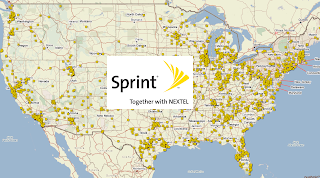
Sprint Dead Zones USA MapCoverage: Sprint, which is now part of T-Mobile, was a major wireless service provider in the United States. While the Sprint brand has been phased out, customers are now under the T-Mobile network and plans. Here is a review of T-Mobile's service plans and coverage, which now encompass former Sprint customers:

Plans: T-Mobile offers a range of postpaid and prepaid plans to suit different needs. These plans typically include unlimited talk, text, and data, with varying data speeds and data allowances. Customers can choose from different plan options based on their usage requirements and budget.

Coverage: T-Mobile's network coverage has expanded significantly after the merger with Sprint. They provide nationwide coverage across the United States, with improved coverage in rural areas and expanded 5G coverage in select cities. T-Mobile utilizes a combination of low-band, mid-band, and high-band spectrum to offer wide coverage and fast data speeds.

Unlimited Plans: T-Mobile offers several unlimited plans that provide unlimited talk, text, and data usage. These plans may have different data deprioritization thresholds, meaning that after a certain threshold of data usage, speeds may be temporarily reduced during times of network congestion.

Family Plans: T-Mobile provides family plans that allow multiple lines to share a data pool. This can be a cost-effective option for families or groups with multiple lines.

5G Network: T-Mobile has invested in the deployment of 5G technology and offers 5G coverage in various areas. Their 5G network encompasses both sub-6 GHz and mmWave frequencies, providing improved speed and capacity in supported locations.

Device Selection: T-Mobile offers a wide selection of smartphones and other devices for purchase. Customers can choose from flagship devices, mid-range options, and budget-friendly devices. They also support Bring Your Own Device (BYOD) programs, allowing customers to use their own compatible devices on the network.

Customer Service: T-Mobile has customer service channels available, including phone support, online chat, and in-store assistance at T-Mobile retail locations.

It's important to note that the information provided reflects the combined offerings of T-Mobile and Sprint following their merger. It's recommended to visit T-Mobile's official website or contact their customer service for the most up-to-date information on their current plans, pricing, and coverage in your specific area.

Finding the best cell phone coverage just got easier by comparing cell phone coverage reports from other customers. Which wireless carrier has the worst cell phone coverage?
Other Reviews: 
Feedback is always welcome. Please submit your comments below.

@SprintCare Twitter Chatter

Popular Posts